The whole 2D art pipeline,
end to end.
Generation, a guided wizard, a real editing layer, a level editor, native exports for five engines — and an API a coding agent can drive. Everything below is shipping today.
Six asset types from a prompt.
Characters
Animated characters for every game type. Full motion sets packed into a Phaser atlas at 4 resolutions.
Tilesets
Dungeon walls, forest floors, sci-fi panels. Single-prompt generation that splits into a per-cell grid with Tiled JSON output.
Terrain
AI-generated terrain tilesets — generate a tile-set palette in a single call, then place tiles freely in the level editor or export the atlas to Tiled / Phaser.
Backgrounds
Full-bleed background scenes for any game perspective.
Animated Objects
Keyframe-to-keyframe motion. Define start and end states; SpriteShip fills in the motion via image-to-video and bakes it into a spritesheet.
Staged Sprites
One object across N discrete progression states — for durability, aging, growth systems.
Four perspectives, natively supported.
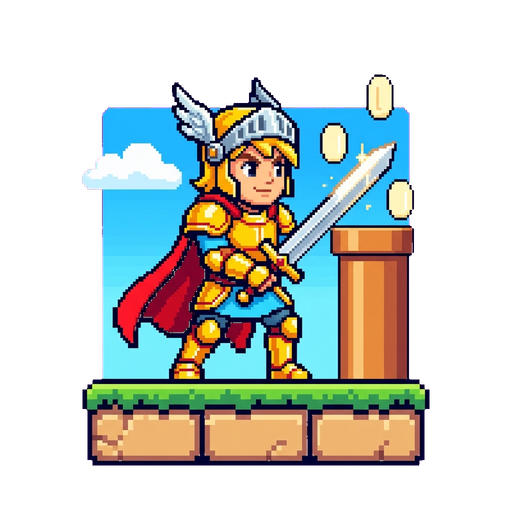
Platformer
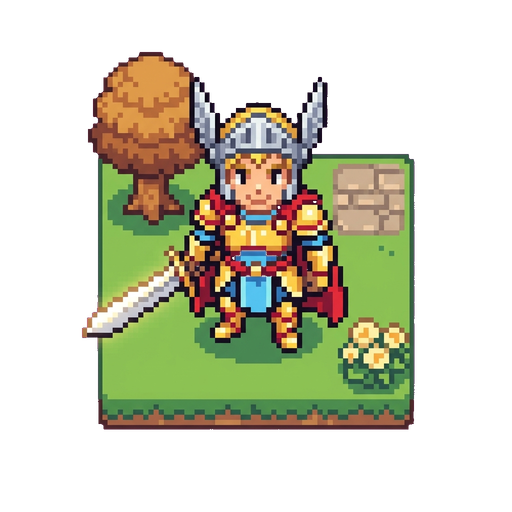
Top-down
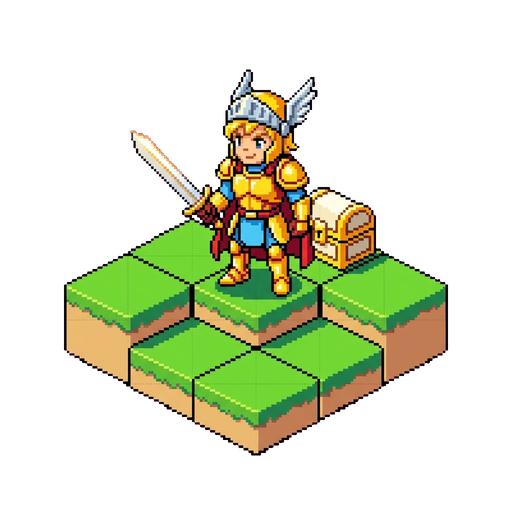
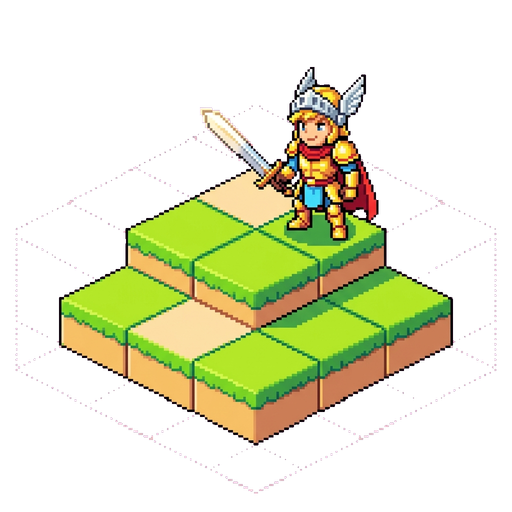
Isometric
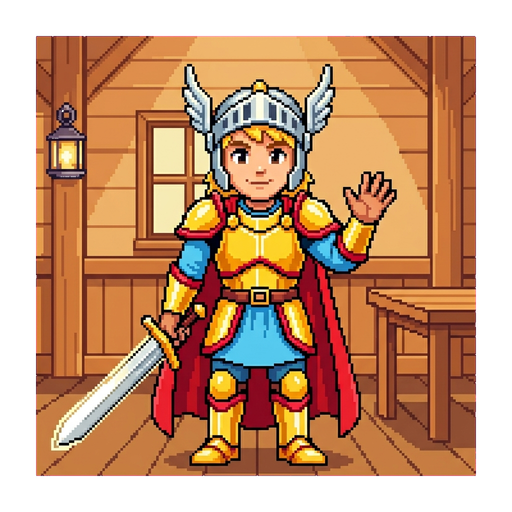
Point-and-Click
Five phases, each one a quality gate.
IMAGE GEN
Defining concept & primary visual anchor.
IMAGE REVIEW
Quality gate. Pick a variant or iterate with feedback.
VIDEO GEN
Image-to-video generation per animation.
VIDEO REVIEW
Per-animation review; redo just the ones that need work.
ASSEMBLY
BG removal, despill, frame extraction, spritesheet pack.
Vision-checked facing
Automatic side/front detection and mirroring per frame so every animation lines up.
Per-animation regeneration
Add animations one at a time after the character is approved — no full-pipeline re-run.
Up to 10 concurrent jobs
Start a new character while another is rendering. Cap is plan-based (3 / 4 / 5 / 10). Go over it and the extra work queues instead of erroring — it starts as soon as a slot frees.
What happens between prompt and spritesheet.
Facing Logic
Automatic side/front detection so generated motion lines up with your perspective.
BG Removal
Frame-by-frame background removal with temporal coherence on every animation.
Despill
Automatic removal of green-channel contamination on transparent sprite edges.
Ground-Anchored
Every animation aligned to the same ground line and reference height across the character.
Frame Extraction
Slice generated videos into individual PNG frames automatically.
Multi-res Sheets
512 / 256 / 128 / 64 px spritesheet variants generated automatically on every build.
Iterate without re-rendering everything.
Generation is the start, not the end. Every one of these operates on an existing character without paying to regenerate the parts you're happy with.
Animation Splitting
Define named sub-anims by frame range (windup / sustain / recovery). Loops auto-derived.
Mirroring
Horizontal mirror any animation. Spritesheet auto-rebuilds.
Recompositing
Per-animation scale and position overrides; rebuilds from cache.
Animation Deletion
Remove animations from a character without re-rendering the others.
Per-animation Regen
Regenerate just one animation without changing the rest.
Rebuild from cache
Re-render the spritesheet from existing per-frame cache — no new video generation cost.
Place the tiles. Preview the level. Export the map.
Multi-layer support
Organize ground, objects, and props on independent layers — Tiled-compatible.
Grid snap + edge magnetic snap
Place tiles to a configurable grid; X and Y axes snap independently to neighboring object edges so chained placements stay flush.
In-app Phaser preview
See your level played by a real character before exporting.
An API your agent can hold a budget on.
The whole platform is reachable over a REST API with scoped keys — so an agent can list your library, generate what's missing, and drop engine-native files into your repo without a human in the loop.
Scoped API keys
Four scopes granted separately — read, account, write, and spend. A read-only key physically cannot spend credits.
Per-key spend caps
Every key carries a daily credit ceiling, and every paid call accepts a dry-run cost preview before anything is queued.
A distributable skill
A packaged agent skill plus an AGENTS.md that teach Claude Code, Cursor, Windsurf, Cline and Codex the endpoints, the sync recipe and the spending protocol.
Self-describing exports
Every export zip carries a manifest, a JSON Schema of its own shape and a SKILL.md, so an agent can wire the bundle up without being told the format.
Native formats. No plugin, no conversion step.
Authored collision bodies, ground footprints and per-frame mount points ride through every export, so what you set up in the dashboard is what your engine collides with.
The parts you only notice when they're missing.
Prompt Decomposition
Free-text notes get split into positive and negative diffusion channels by a language model, for cleaner generations.
Reference Conditioning
Image-to-image for character iteration. Image-to-video for animation. Last-frame conditioning for keyframe-chained animated objects.
AI Prompt Assist
Inline ✨ Enhance and 💡 Suggest buttons next to every prompt textarea, rewriting or inventing prompts from your project context.
Vision-Checked Pipeline
Frames pass a vision model for facing detection and chroma validation before joining the sheet — no manual orientation cleanup.
Concurrency scales with your plan.
| Plan | Concurrent jobs | Credits |
|---|---|---|
| Free | 3 | 1,500 to start |
| Hobby | 4 | 5,000 / mo |
| Creator | 5 | 18,000 / mo |
| Studio | 10 | 60,000 / mo |
Background generation
All jobs run on background workers. Close the tab — jobs pick up from where they left off.
Queue priority scales with plan
Free, Hobby, Creator, and Studio plans run with progressively higher queue priority, so paid jobs jump ahead of the free queue during peak load.
Common questions.
What is SpriteShip?
SpriteShip is an AI game-art platform for 2D games. It turns a text prompt into animated character spritesheets, tilesets, backgrounds, animated objects, and terrain — with native exports for Phaser, Godot 4, Unity, GameMaker, and Tiled. It can be driven from the dashboard or over a REST API by a coding agent.
Which game engines does SpriteShip export to?
Phaser 3 (texture atlas), Godot 4, Unity, GameMaker GMS2, and Tiled (.tsj). Every export is a native format — no plugin, no conversion step.
Can I use AI-generated sprites commercially?
Yes. Generated sprites, animations, terrain, and other assets are yours to use commercially on every plan, including the free tier. See the Terms of Service for full details.
Is there a free tier?
Yes — new accounts get 1,500 free credits. Every plan, including Free, can use every feature, every asset type, every model, and every export engine.
What kinds of 2D game assets can SpriteShip generate?
Animated characters (platformer, top-down, isometric, point-and-click), tilesets, backgrounds, terrain, animated objects (chests, levers, doors), and staged sprites (plant growth, durability states, etc.).
Can a coding agent use SpriteShip?
Yes. SpriteShip has a REST API with scoped, spend-capped API keys and a distributable agent skill, so Claude Code, Cursor, Windsurf, Cline and Codex can generate and sync assets into your project directly.