Every asset your 2D game needs,
in one consistent style.
Characters with full motion sets, tilesets, backgrounds, terrain and level maps — generated from plain-English prompts in a guided dashboard. Set the art style once per project and every asset matches it. Then export native files straight into your engine.
No credit card. No watermarks. Commercial use included.
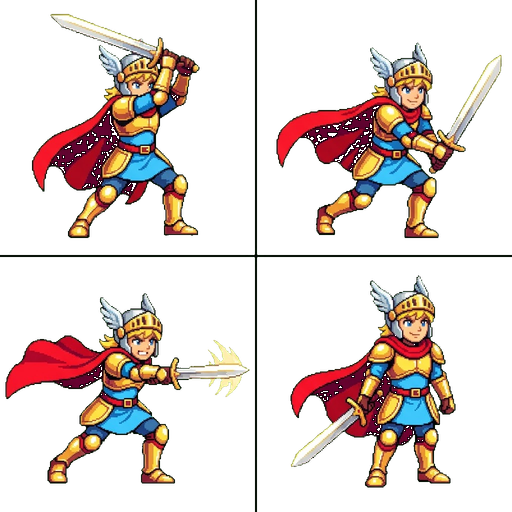
Every asset type a 2D game needs.
Characters with real motion sets, tilesets that split into a grid, parallax backgrounds, staged progressions and keyframed objects — all from prompts.
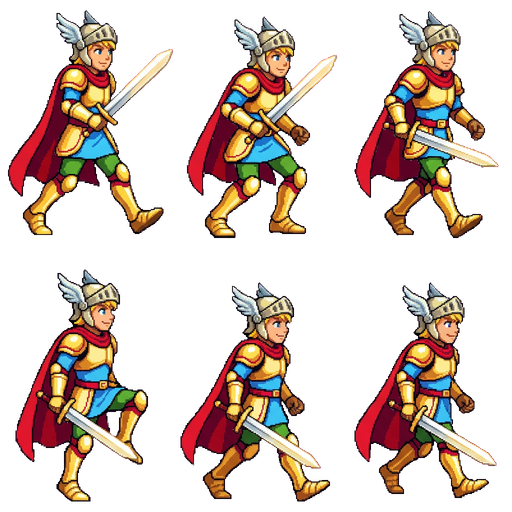
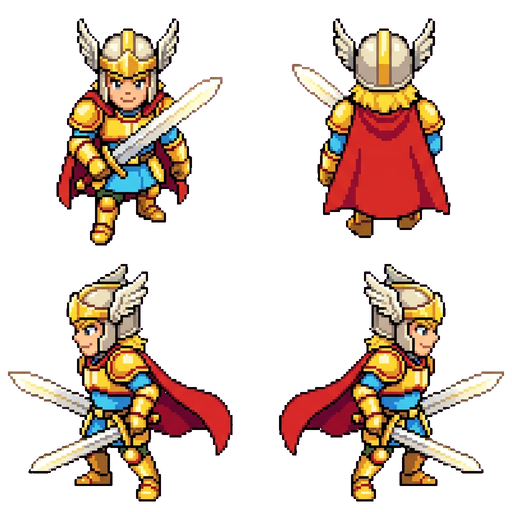
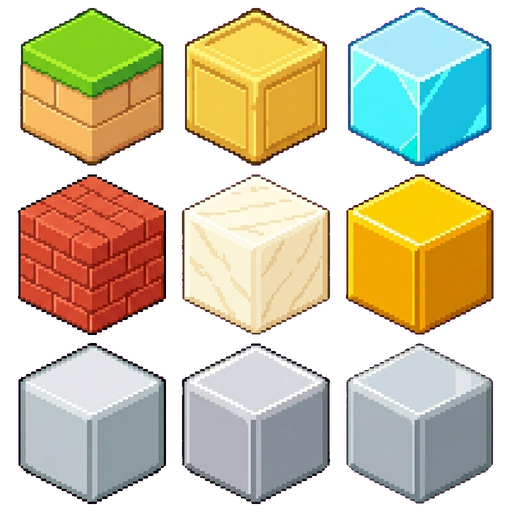
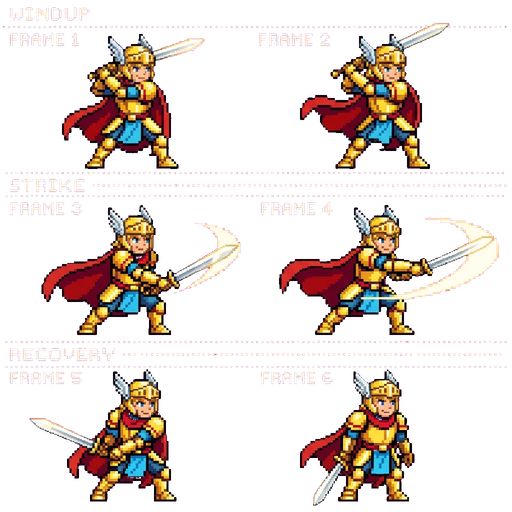

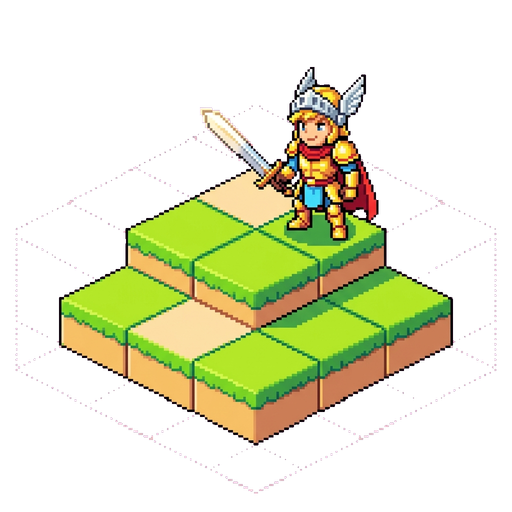
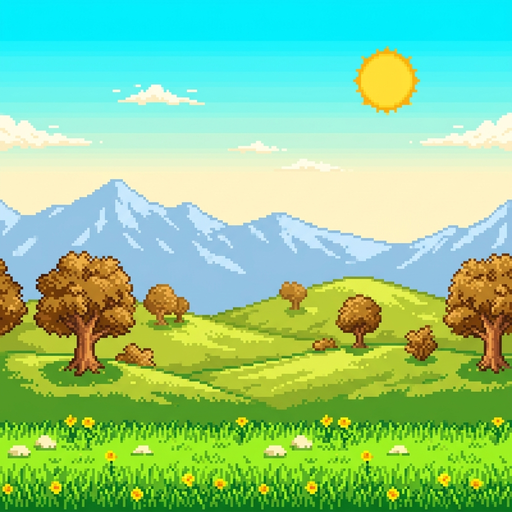
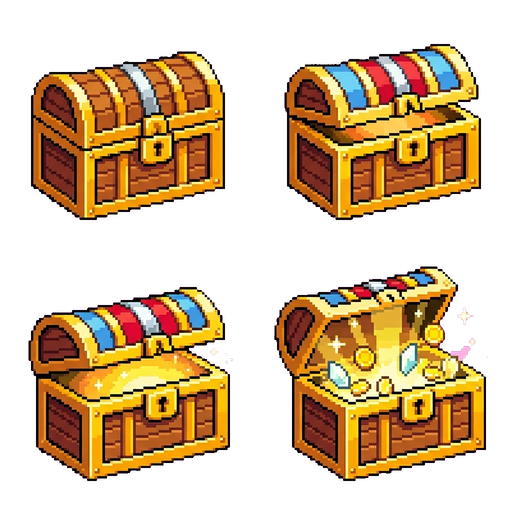
The samples above are pixel art because that is what we generated for them. Pixel art is one of ten built-in style presets, and you can describe your own on top of that. Pick a style per project and every asset in it matches.
One platform, the whole art pipeline.
Animated Characters
Full motion sets — idle, walk, run, attack, jump, dodge, die — packed into a Phaser atlas with 4 resolution variants. Side-view, 4-direction top-down, isometric, and front-facing point-and-click all supported.
Tilesets & Backgrounds
Single-prompt generation of multi-tile palettes that split into a per-cell grid, plus full-bleed background scenes. Drop the generated .tsj straight into Tiled, or use the Phaser atlas.
Animated Objects & Stages
Keyframe-driven motion for chests, levers, doors. Or one object across N progression states — rocks cracking, plants growing, candles melting.
Level Editor & Export
Place tiles on a multi-layer canvas with grid snap. Export to Phaser, Tiled, Godot 4, Unity, or GameMaker GMS2 — native formats, no plugin, no conversion step.
A guided wizard — not a black box.
Every stage gates the next. You see variants, pick or iterate, then move on. The AI never rolls past a bad image into a bad animation.
Prompt
Describe your character or asset in plain English. Reference images optional.
Image review
See variants. Iterate with feedback or pick the one you want.
Animate
Add motions one at a time. Image-to-video for each animation. Vision-checked facing on every frame.
Ship
Download a Phaser atlas, Tiled tileset, or export straight into your engine.
Drops into your engine. No conversion step.
Phaser atlases, Godot 4 .tres resources, Unity sliced sprites with stable GUIDs, GameMaker sprite strips and Tiled tilesets — plus authored collision bodies and per-frame mount points that survive the export.
Built for iteration, not one-shot output.
Animation Editing
Split, mirror, recomposite, or regenerate just one animation without rebuilding the rest.
Vision-Checked Outputs
Automatic facing detection and transparent-background normalization on every frame.
Concurrent Jobs
Up to 10 generations running in parallel. Close the tab — jobs keep going on the queue.
Multi-resolution Sheets
512 / 256 / 128 / 64 px spritesheet variants generated automatically on every build.
Your coding agent can drive it too.
Everything above is also a scoped, spend-capped API with a hosted MCP server and a distributable skill. The agent resolves the entity, previews the cost, waits for you, generates, polls the job, and writes engine-native files straight into your tree.
you › the knight needs a dodge-roll, then wire it into the player state machine

  agent › GET  /api/v1/characters?name=knight        → chr_8fq2… · 6 animations
  agent › POST /api/v1/characters/chr_8fq2…/generate-pose  { dryRun: true }
          → 400 credits · balance 1,500 → 1,100

  you   › go ahead

  agent › POST …/generate-pose   Idempotency-Key: 7c1f-…   → job_2b9e…
  agent › GET  /api/v1/jobs/job_2b9e…                       → done
  agent › GET  …/export?engine=phaser&format=json
          → assets/spriteship/knight/spritesheet.png
            assets/spriteship/knight/atlas.json
            spriteship.lock.json

  agent › edited src/player/PlayerStateMachine.ts
          + case 'dodge': this.play('dodge_roll'); break;
It cannot surprise you
Keys are scoped — a read-only key physically cannot spend. Paid calls take a dry-run cost preview and an idempotency key, and every key carries a daily credit cap you set.
It knows what it downloaded
Every export ships a manifest, a JSON Schema of its own shape and a SKILL.md, so the agent wires the bundle up instead of guessing at a folder of PNGs.
Most AI art tools stop at the sprite.
Generating a character is the easy part, and by now most tools do it. The work that actually ships a game is everything after: the tilesets, the terrain, the backgrounds, the level map, and getting all of it into your engine in a format it can load.
See the full comparison- The level map, not just the characters on it
- Native bundles for five engines, not a folder of PNGs
- Mount points and collision shapes that survive the export
- Spend controls that let an agent generate unattended
Pick your angle.
For coding agents
The write API, the skill, the guardrails — and setup for each agent.
AI Sprite Generator
Text to animated character — the end-to-end wizard with vision-checked frames.
Every Asset Type
Characters, tilesets, backgrounds, animated objects, terrain, staged sprites.
AI Tileset Generator
Single-prompt tilesets with Tiled .tsj, Phaser atlas, and Godot 4 output.
Every art style
Not just pixel art — anime, watercolor, cel-shaded, hand-drawn, dark fantasy.
AI Art for Game Jams
Ship the jam game in 48 hours. No drawing required, commercial license included.
Start free. Pay for generation, not seats.
Reading, listing, exporting and re-syncing existing assets are free forever — credits are only spent when something is generated.
Stop drawing.
Start shipping.
1,500 free credits, no card. Describe an asset, pick the take you like, and drop it into your engine.
Start free — 1,500 credits